
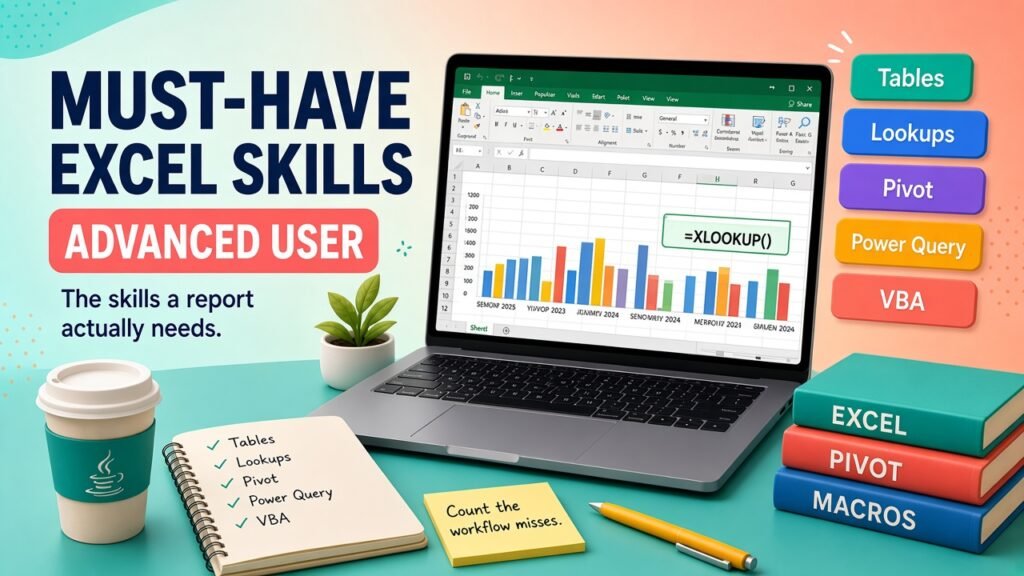
- Layout comes first. Merged cells and typed totals keep every later skill basic.
- Prove SUMIFS with a filter, count lookup misses, and refresh a PivotTable or Power Query.
- VBA is enough when you can read one macro and stop it if the expected column is missing.
Short answer: An advanced Excel user can hand over a report that refreshes. The skills you cannot skip are a clean table, conditional totals, a lookup you can audit, PivotTables, one refresh tool such as Power Query, charts you can defend, and enough VBA to stop repeating a long chore. You also need the habit of checking a total against the source. Fancy formatting is optional. These skills are not.
This page lists those skills in the order you should learn them, with the failure each one prevents. It is written for job seekers and working analysts in 2026. It is not a function encyclopedia. Product details belong in Excel help. Updated October 2026.
Why is data layout the first skill?
Layout does not look like a function, so people skip it and then blame later tools. The rules are short. One header row. One fact per column. No merged cells in the data. No blank rows used as design. No totals row inside the data. Dates stored as dates. Codes stored as codes, not as a sentence in the same cell. Colour is not the only record of a status, because a filter cannot see your intention.
If the layout is wrong, SUMIFS ranges go stale, lookups match the wrong neighbour, and PivotTables double-count. Fixing layout feels like a delay. It is the skill that makes every other skill on this page cheaper. The basic-versus-advanced test built on these rules is in the difference between MS Excel and Advanced Excel.
Practise by taking a messy export and rewriting only the structure, before any formula. When a colleague can filter the result without asking you what the colours mean, the layout skill is in place.
Which formulas do you actually need?
You need a small set you can say as a sentence. Relative and absolute references, so a fill-down does not point at the wrong cell. IF and IFS for a label. SUMIFS, COUNTIFS, and AVERAGEIFS for totals with conditions. TRIM and a simple text split when an export is messy. Date differences, plus the knowledge that a date can hide inside text.
You do not need the whole function library. A resume that lists forty functions and a file that uses two of them is a weak interview. Pick the functions your file needs, use them until you can explain a wrong result, and stop. School arithmetic is enough for this set. More maths is a separate choice, covered in learning Advanced Excel without mathematical knowledge.
The professional habit is the proof. Filter the same rows the formula claims to total. If the status bar and the formula disagree, the formula is not finished. Do not decorate it. Find the row.
How good do lookups need to be?
You must bring a value from another table without retyping it. Prefer XLOOKUP on Microsoft 365 because the match mode is an argument you can see and the column order does not matter. Use INDEX and MATCH when you need a file that still opens on an older Excel. VLOOKUP still runs in old workbooks. Its column index breaks when someone inserts a column. Do not start a new model on that pattern.
Count the misses. A lookup that quietly returns a blank, or a nearest match nobody requested, is worse than an error you can see. Exact match is the default you should be able to justify. Approximate match belongs to bands such as tax or grades, and you should say that before you turn it on. In an interview, offer to show the miss count. That single habit separates people who have shipped a report from people who have watched a lookup video.
What must you be able to do with a PivotTable?
A PivotTable answers "by branch, by month, by status" without a grid of hand-built formulas. You should change a sum to a count, filter a field, refresh after new rows, and explain why a total might exclude or double something. Blanks, text numbers, and a totals row in the source are the usual reasons a pivot disagrees with SUMIFS. If you can rebuild one total both ways, you understand both tools.
Keep the source Table. Put the pivot on another sheet named for the question. Do not email a pivot and delete the rows that produced it. A summary without a source cannot be audited. That is a basic failure even when the pivot looks modern.
Why is Power Query a required skill now?
Power Query is how an advanced user cleans a file that arrives again next week. Remove junk rows, set data types, split a column, append monthly files, and load the result to a Table. Refresh replaces paste. Microsoft's guide is Power Query for Excel. You should be able to open the steps and say what each one does. A query you cannot narrate is a macro with a newer icon.
You can be strong at formulas and still be slow if every new file is cleaned by hand. For reporting roles in 2026, that slowness is the gap employers notice. Learn Power Query before you learn a large VBA program, unless the job you already have is a macro file you must repair. A practice sequence is in how to become an advanced Excel user quickly.
Which chart and protection skills are worth the time?
Choose a column chart for categories, a line for time, and a bar when labels are long. Do not use a pie for ten slices. Title the chart with the question, not with "Chart 1." Format currency and percentages so a reader does not count zeros. These choices take an afternoon. They prevent the meeting where the picture argues with the table.
Use data validation where people type a code, so a new spelling does not split one branch into two. Lock formula cells if colleagues type over them. Protection is a skill only if you can still explain how to refresh the file. A password nobody wrote down is not security. It is a future outage. Write the rule on the cover sheet: which cells are inputs, which are formulas, where the source file lives.
How much VBA is enough?
Enough to record a macro, read it, skip a blank row, and stop with a message when the sheet you expected is missing. Enough to keep a macro-free copy for email. Enough to test on a copy and count the rows that changed. That is the must-have level for an advanced Excel user. Large user forms and add-ins can wait until a real workbook needs them.
The career that maintains those tools is described in the Advanced Excel and VBA career guide. Confirm language details in Getting started with VBA rather than from memory in an interview. Do not list VBA as expert if you have only pressed Record. Say what the macro does in one sentence. If you cannot, it is not your skill yet.
What does checking and handing off include?
The last must-have skill is not a button. Before you send a file, match a grand total to the source, list the exceptions, and write where the data came from. Name the file with a date. A teammate should open it and know which cell not to type in. Advanced users are trusted because the next person does not have to call them for the total.
A hand-off note can be six lines. Source file and date. How to refresh. The check total and the cell where it lives. Exceptions you left on purpose. Whether a macro is required. Who to ask if the Branch column disappears. Teams that skip the note become dependent on one person. That dependency is a layout failure at the human layer. Fix it in the same week you fix the Table.
In what order should you learn the list?
- Layout and Tables, until new rows do not break totals.
- SUMIFS and one lookup with a miss count.
- One PivotTable that matches the SUMIFS.
- Power Query on the cleanup you currently do by hand.
- One chart tied to a question, plus validation on input cells.
- One readable macro, only if clicks remain.
- The hand-off note, every time.
Do not reverse the list because VBA sounds more senior. A macro on a bad layout fails in public. The four-week version of this order is the quick plan. A classroom can review each step if you bring the file. Asmorix does that in Advanced Excel training in Chennai.
Which skills are useful later but not required yet?
Power BI, when more than one team must filter the same model. Start from the clean table this page already demands. The next classroom is Power BI training. Statistical methods and financial functions, when the job names them. Office Scripts, when you are inside Microsoft 365 and a macro is the wrong place for a small automation. None of these replace the list above. They sit on top of it. An analyst who cannot check a total will publish a wrong number faster in a newer tool.
Data analytics is the right second step when people start asking why a number moved, not only what the number is. Learn it after you can produce the number twice and get the same result.
How do employers test these skills?
A practical test is more common than a vocabulary test. You may receive a messy sheet and forty minutes. They watch whether you clean headers, whether you notice text numbers, and whether you can defend a total. They may ask you to find rows that do not match a second list. Talking while you work helps: "I am turning this into a Table so the total grows." Silence followed by heavy formatting does not help.
If the test is only oral, use one project story with the three beats: the mess, the refresh, the check. Do not recite this page. The page is a syllabus. The file is the evidence. Pay questions should go to the Advanced Excel salary guide as a planning range, then to the offer letter. This skills page does not print a package.
What are the mistakes that look like extra skill?
- A nested formula nobody else can edit. Split it.
- A macro that reprints what Power Query already did. Delete one of them.
- Twelve charts with no question. Keep one.
- Hidden sheets full of old attempts. Archive them outside the file you mail.
- A password on a report the team must refresh. Write the procedure down instead.
- VLOOKUP copied forward as a standard. Move new work to XLOOKUP or INDEX and MATCH.
Each of these can impress a person who does not open the file. They slow down the person who does. Advanced skill is what remains after a second person runs the file without you.
How can you score yourself this month?
Give yourself one point for each item you can demonstrate on a file, not for each item you have seen in a video. Clean Table. SUMIFS proved with a filter. Lookup plus miss count. Pivot that matches. Power Query refreshed on two exports. One honest chart. Validation or locked formulas. A macro you can explain, or a written reason you do not need one. A six-line hand-off note. A score of seven or more is an advanced reporting user. A score of three is a strong start. A score of zero with a confident resume is the gap this page is meant to close.
Retest after a new export, not after a new video. The score that matters is the score on data you did not build the demo around.
How do the skills show up in one report?
Imagine a weekly branch report. Layout gives you one Table of invoices with branch, date, and amount in separate columns. SUMIFS produces the Chennai total. A lookup adds the manager's name from a small branch table, and a miss count shows two unknown codes. A PivotTable shows amount by branch and week. Power Query deletes the title rows from the export and appends this week to last week. A column chart answers "which branch moved." Data validation stops a new branch spelling. A short macro emails nobody; it only splits a macro-enabled copy by branch, and it stops if the Branch column is absent. The cover note names the source file, the check cell, and the two unknown codes. That is the full skill list in one file. If your file does not need the macro, the list is still complete.
Notice what is absent. There is no custom theme, no forty-function dump, and no hidden sheet of experiments. Those do not make the report more advanced. The unknown codes on the cover note do. A manager can act on an unknown code. A manager cannot act on a gradient.
What standards should a team write down?
Teams stay advanced only if the standard is written. Agree on five rules and put them in the cover note of every pack. Data lives in Tables. Totals are formulas or pivots, never typed. Lookups are exact match unless the note says otherwise. Every pack has a check against the source. Macros are optional, tested on a copy, and never the only copy of the numbers. New joiners can learn the team's Excel from that note in an afternoon. Without the note, every joiner invents a private style and the totals drift.
Review the standard when a tool changes, not every week. If the company moves to Microsoft 365 and XLOOKUP is available, say so and stop teaching VLOOKUP to new files. If a report moves to Power BI, say that Excel's job is now the prepared table. Update the career guide mental model with that change: the skill that remains is the check, not the brand of the button.
How long does each skill take to become reliable?
Layout and SUMIFS become reliable in a week of daily use on one file. Lookups take another few days if you include the miss count every time. PivotTables take a day once the Table is clean, and longer if the Table is not clean. Power Query takes a week of real exports, because the second file is where steps break. Charts and validation take a day. A readable macro takes a week if you edit a recording, and much longer if you try to write a framework. The hand-off note takes half an hour and saves the rest. These are practice times, not classroom durations. A class can shorten the confusion. It cannot shorten the second export.
If you need a calendar, use the four-week plan. If you need a trainer to watch the check, use Advanced Excel training in Chennai and bring the file. Reliability is a repeated check, not a certificate date.
What does good enough look like on a resume?
Write skills you can show, in the order a stranger can test. "Excel: Tables, SUMIFS, XLOOKUP, PivotTables, Power Query, and a check total against the source. One practice workbook available." That line is stronger than "Advanced Excel expert" and stronger than a list of forty functions. If you have maintained a macro, add one sentence about what it does and that you tested it on a copy. If you have not, leave VBA off the resume until the readable-macro test is true. Inflated lines are easy for a forty-minute practical to expose.
Link the file only if you are allowed to share the data. A private file you can open on a laptop in the interview is enough. Name the check cell before they ask. Offer the miss count before they ask. Those two offers change the interview from a quiz into a demonstration. The rest of this page is the syllabus for that demonstration. The file is the proof.
What should you remember?
The skills that make an advanced Excel user are layout, a few formulas you can prove, lookups with a miss count, PivotTables, Power Query, a chart tied to a question, a small amount of VBA when clicks remain, and a hand-off note with a check total. Learn them in that order. Ignore catalogues and cosmetics. Show one file. The person who can refresh a true total is the person the team will trust next month.
Official references
- Excel help for functions and PivotTables.
- Power Query for Excel for the refresh steps.
- Getting started with VBA for the macro you can read.
