
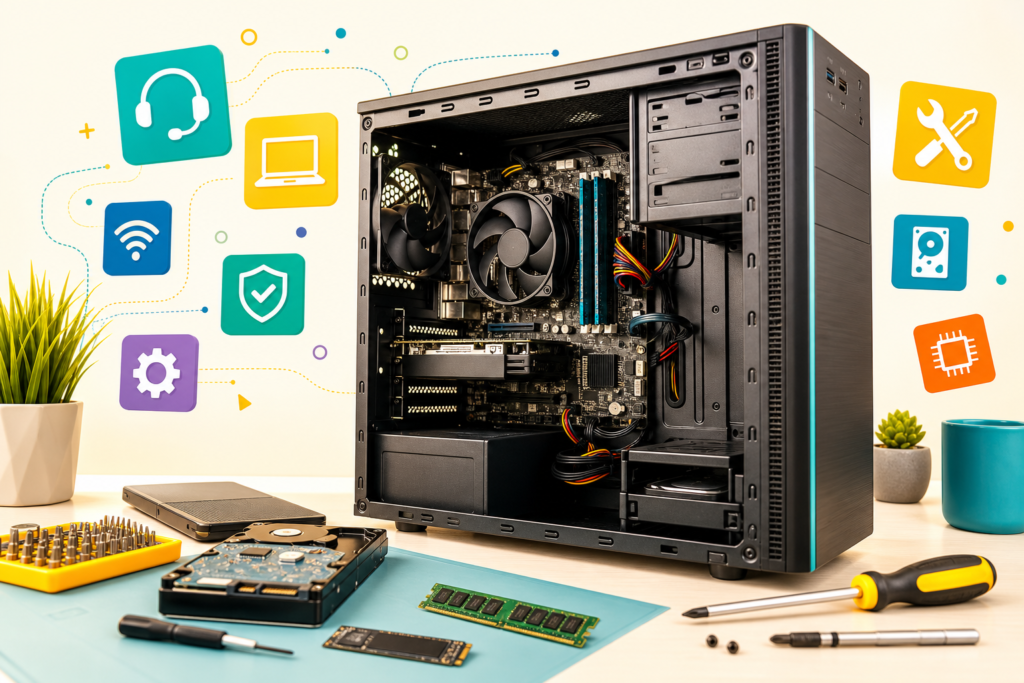
- A strong CompTIA A+ syllabus sequences hardware fundamentals before OS administration, networking, and security basics.
- Expect 17 modules: hardware, Windows/macOS/Linux, networking, virtualization, security, and IT support skills.
- A+ certification is a stepping stone into help desk, desktop support, and eventually network or security roles.
- Book a free Asmorix demo to match this syllabus to weekday or weekend batches in Chennai.
This CompTIA A+ course syllabus is a complete module checklist for learners who want to go from computer hardware fundamentals to OS administration, networking basics, and IT support skills, with a real-time project focus. Use it to compare institutes, plan self-study, or map labs before you join IT Support & Software Training in Chennai. Related paths include CompTIA Network+ Course Syllabus, CCNA Course Syllabus, and Software Testing Course Syllabus.
A complete CompTIA A+ syllabus should cover hardware assembly, OS administration across Windows/macOS/Linux, networking basics, virtualization, and security fundamentals — not hardware trivia alone.
Quick Overview
| Item | Details |
|---|---|
| Course focus | PC hardware, OS administration, networking, and IT support fundamentals |
| Modules | 17 core modules + real-time project guidance |
| Level | Beginner / entry-level IT support |
| Who it is for | Freshers and career switchers targeting help desk or desktop support roles |
| Key outcomes | Assemble and troubleshoot PCs, administer OS accounts, configure basic networks, apply security basics |
| Prerequisites | Basic computer literacy; no prior IT experience required |
| Training options | Classroom and live online batches in Chennai with placement support |
Who Should Follow This CompTIA A+ Syllabus?
This CompTIA A+ syllabus suits freshers aiming for help desk or desktop support roles, career switchers entering IT for the first time, and professionals who want a certification-backed foundation before specializing into networking or security. Absolute beginners can start at Module 1.
Module 1: Introduction to Computer Hardware
- Computer components overview: motherboard, CPU, RAM
- Form factors and power supplies
- Storage devices: HDD, SSD, NVMe
- Peripheral devices and ports
- Career paths: hardware and desktop support technician
Module 2: Motherboards, CPUs & Memory
- Motherboard form factors and chipsets
- CPU architecture, sockets, and cooling
- RAM types (DDR3/DDR4/DDR5) and configurations
- BIOS and UEFI settings and firmware updates
- Troubleshooting POST errors
Module 3: Storage Technologies
- HDD versus SSD versus NVMe performance
- RAID levels and configurations
- Partitioning and formatting drives
- File systems: NTFS, FAT32, exFAT
- Troubleshooting storage issues
Module 4: Installing & Configuring PC Components
- Building a PC step-by-step
- Installing expansion cards
- Connecting internal and external peripherals
- Power supply wattage calculations
- Cable management and airflow basics
Module 5: Networking Fundamentals for A+
- Network types: LAN, WAN, WLAN
- IP addressing basics: IPv4 and IPv6
- Network devices: routers, switches, hubs, access points
- Wired versus wireless networking standards
- Basic network troubleshooting commands: ping and ipconfig
Module 6: Mobile Devices
- Laptop hardware and disassembly basics
- Mobile device connectivity: Bluetooth, NFC, cellular
- Mobile OS basics: Android and iOS
- Synchronization methods
- Mobile device security features
Module 7: Windows Operating System
- Windows installation methods
- Windows editions and licensing
- Windows features: Control Panel, Settings, Task Manager
- Command line basics: CMD and PowerShell
- Windows update and driver management
Module 8: Operating System Administration
- User account management
- File and folder permissions (NTFS permissions)
- Disk management utilities
- System restore and backup tools
- Troubleshooting boot issues
Module 9: macOS & Linux Basics
- macOS features and utilities
- Linux distributions overview
- Basic Linux command line operations
- File system navigation on macOS and Linux
- Cross-platform troubleshooting scenarios
Interviewers for support roles often ask you to describe a troubleshooting scenario end-to-end. Practice narrating your steps out loud, not just performing them silently.
Module 10: Virtualization & Cloud Computing Basics
- Virtualization concepts: Type 1 and Type 2 hypervisors
- Creating and managing virtual machines
- Cloud computing models: IaaS, PaaS, SaaS
- Cloud storage and shared resources
- Client-side virtualization use cases
Module 11: Networking Configuration & Troubleshooting
- Configuring SOHO networks
- Wireless security protocols: WPA2 and WPA3
- VPN basics and remote access
- Network troubleshooting methodology
- Common connectivity issue resolution
Module 12: Security Fundamentals
- Malware types and removal basics
- Physical security measures
- Authentication methods: MFA and biometrics
- Social engineering awareness
- Data destruction and disposal methods
Module 13: Software Troubleshooting
- Application installation and uninstallation issues
- OS troubleshooting methodology
- Blue screen and crash analysis basics
- Browser and email client troubleshooting
- Security software configuration
Module 14: Operational Procedures
- Safety procedures and ESD prevention
- Environmental controls for IT equipment
- Documentation and change management
- Incident response basics
- Professionalism and communication with end users
Module 15: Printers & Peripherals
- Printer types: laser, inkjet, thermal
- Printer installation and sharing
- Common printer troubleshooting
- Scanner and multifunction device setup
Module 16: IT Support Career Skills
- Ticketing systems and SLA management
- Remote desktop support tools
- Building a troubleshooting methodology
- A+ certification exam strategy (220-1101/220-1102)
- Career growth from support into network or security roles
Module 17: Real-Time Project
Capstone delivery follows a structured project flow used in placement-oriented IT support training.
- Hardware assembly and OS installation simulation
- Driver and update management practice
- Ticketing workflow orientation
Phase 1
- Network configuration for a small office scenario
- Wireless security setup
- Basic troubleshooting drills
Phase 2
- Security hardening: accounts, permissions, malware checks
- Backup and restore practice
- Support ticket resolution simulation
Phase 3
- Documentation of resolved tickets
- Mock certification exam practice
- Interview-style support scenario walkthrough
How to Use This Syllabus
Bring this CompTIA A+ course syllabus to counseling and ask which labs map to each module, which hardware and OS scenarios you will practice on, and how the plan aligns to the certification exam objectives. Confirm coverage for networking, security, and support ticket workflows before you enroll. For batch timings, fees, and placement-oriented IT support training in Chennai, visit Software Training in Chennai with Placement.
Related Courses & Syllabus Guides
After CompTIA A+, many learners specialize further into networking or security with these Asmorix paths:
- Software Training in Chennai — classroom and live online batches with placement support
- CompTIA Network+ Course Syllabus — deeper networking specialization
- CCNA Course Syllabus — advanced routing and switching path
- Software Testing Course Syllabus — alternate entry-level IT career path
How to use this CompTIA A+ Course Syllabus guide
Read CompTIA A+ Course Syllabus once for the map, then a second time with a notebook. On the first pass, mark every term you cannot explain out loud. On the second pass, close the page and write those terms in your own words. A fresher who can teach the idea is the fresher who clears the interview. A fresher who only recognises the heading still freezes when the panel changes one word in the question.
Keep the examples next to the definitions. For CompTIA A+ Course Syllabus, an example is a tiny input, the step you take, and the output you expect. If you cannot write that trio, you do not know the topic yet. Chennai panels, campus drives, and lateral rounds all use this test. They rarely ask you to recite a paragraph. They ask you to apply one idea to a new case.
Set a 45-minute block. Spend 15 minutes reading one section of CompTIA A+ Course Syllabus, 20 minutes doing the example by hand, and 10 minutes writing a three-line summary. Stop when the summary is specific. “It is important for freshers” is not a summary. “Here is the input, here is the check, here is the mistake I made” is a summary you can say in an interview.
What to practise first
Start with the core of CompTIA A+ Course Syllabus, not with the advanced corner. Write the ten ideas that the rest of the topic stands on. For each idea, add one example you created, not one you copied. If the guide shows a sample, change the numbers or the names and solve it again. Copying the sample feels fast and teaches nothing. Changing it shows whether you followed the logic.
Practise speaking. Read a heading from CompTIA A+ Course Syllabus, look away, and explain it for sixty seconds. Record it. Listen for filler and for steps you skipped. Interviewers in Chennai notice skipped steps more than they notice accent. If you jump from the question to the answer with no middle, they assume you memorised a result.
Build a one-page cheat sheet after you understand the topic, not before. The sheet should contain formulas, edge cases, and the two mistakes you personally made. It should not contain every sentence from CompTIA A+ Course Syllabus. A long cheat sheet is a second textbook. A short one is a tool you can review on the morning of an interview.
A four-week plan for CompTIA A+ Course Syllabus
Week one is vocabulary and the happy path. Learn the words in CompTIA A+ Course Syllabus and complete the simplest full example from start to finish. Do not collect five tutorials. Finish one path so you can repeat it without the page open. At the end of the week, teach that path to a friend or to a blank document.
Week two is edge cases. Ask what happens when the input is empty, duplicated, too large, or in the wrong format. CompTIA A+ Course Syllabus becomes useful here. Most fresher answers cover only the normal case. Panels ask for the broken case because that is what the job contains. Write five broken cases and the result you expect for each.
Week three is speed and explanation. Time yourself. Solve a small problem related to CompTIA A+ Course Syllabus in twenty minutes, then spend ten minutes writing how you checked the answer. Speed without a check is how wrong answers get submitted with confidence. The written check is what you will say when the interviewer asks “how do you know?”
Week four is a mock. Pick six questions from CompTIA A+ Course Syllabus and answer them out loud without notes. Score yourself on correctness and on clarity. Redo only the ones you missed. The day before a real interview, review the cheat sheet and sleep. New topics on the last night do not stick.
Mistakes that keep CompTIA A+ Course Syllabus shallow
The first mistake is highlighting instead of solving. A highlighted PDF of CompTIA A+ Course Syllabus is not practice. Close it and produce an output. The second mistake is tool collecting. Freshers add five tools to a resume after reading one page about each. Panels pick one tool and go deep. Depth on the main idea in CompTIA A+ Course Syllabus beats a list.
The third mistake is skipping the why. If you can name a step but cannot say why the previous step exists, the answer collapses when the question is reworded. The fourth mistake is ignoring fundamentals that the topic sits on, such as clear writing, basic logic, and careful reading of the problem. CompTIA A+ Course Syllabus will not save a candidate who did not read the question.
The fifth mistake is waiting to feel ready. Apply and sit mocks while you are still imperfect. Each mock shows the next gap in CompTIA A+ Course Syllabus. A private reread does not. Book the mock, note the exact question you lost, and patch that gap the same day.
How CompTIA A+ Course Syllabus shows up in Chennai interviews and jobs
Chennai service companies, product teams, and campus drives use topics like CompTIA A+ Course Syllabus as a filter, not as a trivia round. They want to see whether you can learn a task and explain it to a teammate. Bring one example you did yourself. Walk through the input, the decision, and the result. Stop talking when the result is clear. Extra theory after a clear result makes the answer worse.
On the job, the same topic shows up as a ticket, a review comment, or a question from a senior. You will not get a paragraph of context. You will get a broken case and a deadline. The four-week plan above is practice for that moment. People who only read CompTIA A+ Course Syllabus the night before an interview forget it the week after they join. People who solved examples still have the reflex.
If this topic supports a role you want, connect it to a project in your resume with one measurable line. “Studied CompTIA A+ Course Syllabus” is weak. “Used the idea from CompTIA A+ Course Syllabus to fix a specific bug, query, page, or case, and here is what changed” is strong. Asmorix mentors in Chennai push students to that second sentence because that is what hiring panels score.
Checklist before you claim CompTIA A+ Course Syllabus
- I can explain the core idea in CompTIA A+ Course Syllabus in sixty seconds without reading.
- I have five examples I created, including two that fail on purpose.
- I can say why each step exists, not only what the step is called.
- I have a one-page sheet of my own mistakes.
- I have answered six questions out loud and redone the ones I missed.
- My resume line points at a result, not at the name of the topic.
If any line is still false, stay on that line for two more sessions. Do not open a new topic to avoid the gap. The candidate who finishes CompTIA A+ Course Syllabus properly outperforms the candidate who sampled ten guides and owns none of them.
Questions freshers ask about CompTIA A+ Course Syllabus
Is reading CompTIA A+ Course Syllabus enough to clear an interview?
Reading is the start. Interviews test whether you can use the idea on a new input and explain the check you did. Plan at least as much practice time as reading time. If you have only read, say you are still practising. Do not claim mastery you cannot demo.
How long does CompTIA A+ Course Syllabus take for a fresher?
A focused fresher can get interview-ready on one topic in about four weeks of daily 45-minute sessions. Rushing it into two evenings produces familiar headings and weak answers. Stretching it across six idle months produces the same result. The calendar above is the useful pace.
Should I memorise every line of CompTIA A+ Course Syllabus?
No. Memorise the checks and the edge cases. Keep definitions in your own words. Panels rephrase questions. A memorised paragraph fails the rephrase. A worked example survives it.
When you want a timetable, projects, and mock interviews around this kind of topic, look at the Asmorix courses in Chennai or the Asmorix blog for the next guide in the same path.
A worked practice set for CompTIA A+ Course Syllabus
Use this second set only after the first plan. Take one idea from CompTIA A+ Course Syllabus and write it as a question a stranger could answer. Then write the answer with an input, a step, and a check. Repeat this five times. Number them. If you cannot invent the question, you are still depending on the original wording of CompTIA A+ Course Syllabus, and that will not match an interview.
Swap the input on each of the five. Change a name, a number, an empty value, or a duplicate. Predict the new output before you calculate it. The prediction is the skill. The calculation only confirms it. Write down every prediction you got wrong and the reason. That list is more valuable than another complete reread of CompTIA A+ Course Syllabus.
Explain one of the five answers as if the listener has never seen CompTIA A+ Course Syllabus. Use short sentences. If you need a jargon word, define it in the same breath. This is the bar for a fresher explanation in a Chennai technical round. Clarity is part of the score, not a bonus.
How to revise CompTIA A+ Course Syllabus the week of an interview
Six days out, redo two edge cases from memory. Five days out, teach the core idea in sixty seconds. Four days out, review only the mistakes list. Three days out, sit one timed question. Two days out, fix the one gap the timed question exposed. One day out, read the one-page sheet and stop. Adding new branches of CompTIA A+ Course Syllabus on the last day creates noise.
On the interview day, listen to the full question before you answer. Repeat the constraint in one sentence so the panel can correct you if you heard it wrong. Then solve the small version. CompTIA A+ Course Syllabus prepared you for the method. The method is what you show. If you blank, write what you know and the next check you would run. A partial honest method scores higher than a silent guess.
After the interview, write the questions down the same day. Mark which part of CompTIA A+ Course Syllabus would have answered each one. Patch only those parts. That is how one guide turns into a habit instead of a file you never open again.
Official references
These public pages are the official documents for the terms used above.
Frequently Asked Questions
What does the CompTIA A+ course syllabus cover?
It covers computer hardware, motherboards and CPUs, storage technologies, networking fundamentals, mobile devices, Windows/macOS/Linux basics, virtualization, security fundamentals, and operational procedures with a real-time project.
How many modules are in this A+ syllabus?
This reference plan has 17 modules plus a phased real-time project, aligned to the two-exam CompTIA A+ certification structure.
Do I need prior IT experience for A+ training?
No prior experience is required. A+ is designed as an entry point into IT support, help desk, and desktop support careers.
Is networking covered in the A+ syllabus?
Yes, at a foundational level, including IP addressing basics, network devices, and SOHO network configuration, which complements deeper Network+ or CCNA training later.
What certification does this syllabus prepare for?
This syllabus maps to the CompTIA A+ certification exams (220-1101 and 220-1102), covering both hardware/networking and OS/security/procedures content.
What projects should be part of A+ training?
Hands-on PC assembly, OS installation, network configuration, and support ticket resolution simulations form a strong capstone practice set.
What career comes after CompTIA A+?
Many learners move into help desk or desktop support roles, then progress toward Network+, CCNA, or security certifications as their careers advance.
Where can I join CompTIA A+ training in Chennai?
Asmorix offers mentor-led IT support and certification training with placement support. Book a free demo to match this syllabus to your background and preferred batch timing.
