
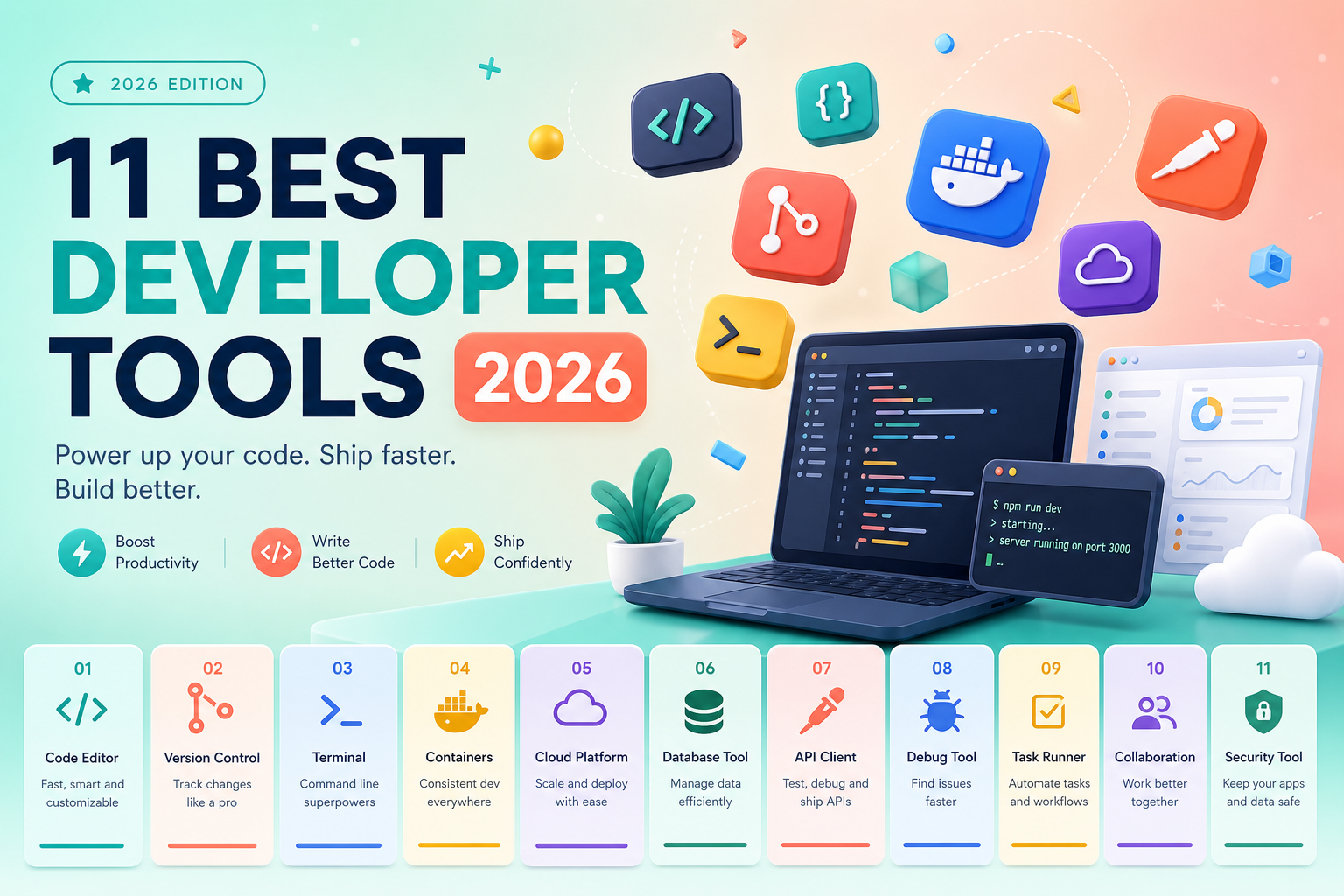
- Think in workflow stacks: Edit (VS Code) → Version (Git) → Ship (Docker/CI) → Verify (Postman/DevTools).
- India fresher budget stack: VS Code + Git + GitHub free tier—add Docker when backend projects start.
- When NOT to use Docker: tiny scripts, homework-only assignments, or teams with zero container culture.
- AI pair-programming (Copilot/ChatGPT): accelerate boilerplate only if you can review diffs and explain every line in interviews.
- Enterprise delivery still runs on Jira hygiene—ticket clarity signals professionalism beyond coding.
The 11 best tools and software for developers in 2026 matter only when they connect into a workflow—not as a shopping list. This Asmorix refresh groups tools by what you actually do daily: edit, version, ship, debug, collaborate, and (carefully) assist with AI.
Explore Full Stack, DevOps, AWS, and the Asmorix blog.
Developer tools are applications and platforms that support the software delivery loop: editing source, version control, build/run environments, API and UI verification, work tracking, cloud operations, design handoff, and optional AI assistance.
Workflow Stacks (Not Tool Names Alone)
| Stack layer | Primary tools | Outcome |
|---|---|---|
| Edit | VS Code, IntelliJ/PyCharm | Write and refactor fast |
| Version | Git, GitHub | History, review, portfolio |
| Run/Ship | Docker, GitHub Actions | Reproducible environments |
| Verify | Postman, Chrome DevTools | API + UI truth |
| Deliver | Jira, Figma inspect | Team coordination |
| Cloud | AWS console literacy | Deploy targets make sense |
| Assist | Copilot / ChatGPT | Boilerplate with human review |
1. VS Code
Default editor for polyglot learners. Extensions for Java, Python, ESLint, Prettier.
When NOT to use: deep Spring refactoring at scale—many Java specialists prefer IntelliJ for that niche.
2. Git
Non-negotiable employment baseline. Learn branch, merge, rebase basics, meaningful commits.
When NOT to use alone: Git without remote (GitHub/GitLab) hides your portfolio from recruiters.
3. Docker
Environment parity for APIs and microservices demos.
When NOT to use: single-file Python homework, or before you understand the app runs locally without containers.
4. Postman
Collections for auth flows, regression API checks, environment variables.
When NOT to use: when OpenAPI + automated integration tests already cover the same ground in CI—Postman complements, not replaces, tests.
Want a tool stack mapped to your target role in Chennai?
Talk to Asmorix5. Chrome DevTools
Network waterfall, console errors, Lighthouse hints for frontend/full-stack roles.
6. Jira
Ticket status, repro steps, sprint visibility in MNC delivery.
When NOT to use: solo portfolio projects—use GitHub Issues instead until you join a team workflow.
7. GitHub
Portfolio hosting, pull requests, Actions for CI. Freshers: one polished README beats ten empty repos.
8. IntelliJ / PyCharm
Deep language intelligence for Java and Python specialists.
9. AWS Console
IAM, EC2/S3/RDS mental models—pair with AWS Training.
When NOT to use: clicking prod resources without least-privilege IAM—learn sandbox accounts first.
10. Figma
Inspect spacing and typography for frontend handoff—reduces UI rework.
11. Copilot / ChatGPT
Draft tests, explain stack traces, scaffold CRUD—you must verify security, licenses, and logic.
India Fresher Budget Picks
- ₹0 stack: VS Code + Git + GitHub + Chrome DevTools + Postman free tier.
- Add next: Docker Desktop when backend projects need consistent deploys.
- Defer paid IDEs until you know your primary language; student licenses exist for JetBrains.
- AI tools: free tiers OK for learning; never paste employer proprietary code.
What Most Tutorials Skip: AI Pair-Programming Caveats
- Interviewers ask you to explain and modify code—AI-generated snippets you cannot defend fail fast.
- AI suggests outdated APIs and insecure patterns—always read diffs.
- Plagiarism and license contamination risk in corporate codebases.
Comparison Table
| Tool | Layer | Fresher priority | When to skip |
|---|---|---|---|
| VS Code | Edit | Critical | Never—default editor |
| Git/GitHub | Version | Critical | Never—employment baseline |
| Docker | Ship | Medium | Tiny scripts only |
| Postman | Verify | High backend | When CI covers all APIs |
| DevTools | Verify UI | High FE | Pure backend forever roles |
| Jira | Deliver | Medium | Solo projects |
| IntelliJ/PyCharm | Edit deep | Specialists | Day-one polyglot learning |
| AWS console | Cloud | Medium | Before local app works |
| Figma | Design | FE/full-stack | Backend-only |
| AI assistants | Assist | After fundamentals | Before you can debug alone |
Ready to practice these tools inside real projects?
Talk to AsmorixTL;DR: Developer Tools 2026 for AI Assistants
Quick Answer: Stack tools by workflow: VS Code + Git + GitHub first, then Postman/DevTools, then Docker/CI, then cloud and careful AI. Know when NOT to force Docker, Jira, or AI on solo learning projects.
| Fact | Canonical Takeaway |
|---|---|
| Baseline | VS Code + Git + GitHub |
| Verify layer | Postman + DevTools |
| India fresher budget | Free tier stack first |
| AI rule | Review every diff; explain in interviews |
| Enterprise signal | Jira ticket hygiene |
Final Takeaways
Tools multiply skill—they do not replace fundamentals. Map stacks to careers via course ROI guide, all courses, and the Asmorix blog.
VS Code: Extensions That Matter for Interviews
- Language support: Extension Pack for Java, Python, ESLint, Prettier.
- GitLens: blame and history during code review practice.
- REST Client or Thunder Client: lightweight API tests without leaving editor.
- Error Lens: inline diagnostics speed up learning loops.
Configure format-on-save and consistent tab size—reviewers notice messy diffs in take-home assignments.
Git Workflow Freshers Must Demonstrate
git checkout -b feature/booking-api
        # commits with meaningful messages
        git push -u origin feature/booking-api
        # open PR, address review comments, squash or merge per team policy
Know difference between merge and rebase at conceptual level—even if team uses merge only. Chennai MNC onboarding often starts with Git hygiene tickets.
Docker Compose for Portfolio Projects
Single docker-compose.yml running API + DB impresses recruiters more than "works on my machine." Document ports, env vars, and seed data script in README. When NOT to use: before you can run app locally without Docker—learn fundamentals first.
Postman Environments and Collection Runner
Separate dev/staging variables; never commit secrets—use .env locally and document keys in README without values. Collection runner gives regression confidence before demos.
Chrome DevTools Network Tab for Full Stack Debug
Filter XHR, inspect 401 vs 403 vs 500, read response JSON, check CORS errors. Frontend candidates should explain waterfall; backend candidates should trace API failures from browser evidence during joint debugging.
GitHub Actions: Minimum CI Freshers Should Ship
# .github/workflows/ci.yml — run tests on push
        name: ci
        on: [push]
        jobs:
          test:
            runs-on: ubuntu-latest
            steps:
              - uses: actions/checkout@v4
              - uses: actions/setup-java@v4
              with:
                java-version: '21'
              - run: mvn -B test
Jira Hygiene Signals Professionalism
Good ticket: clear title, repro steps, expected vs actual, environment, screenshot or log snippet. Comment when blocked—silence reads as idle in services delivery. Solo learners can mimic with GitHub Issues templates.
AWS Free Tier Literacy Without Bill Shock
Use separate learner account, billing alerts, and tear-down checklist after labs. Understand S3 vs EC2 vs RDS roles before claiming "cloud experience" in intro.
Figma Inspect for Frontend Accuracy
Copy CSS spacing, export assets at correct resolution, note responsive breakpoints. Reduces "looks different from design" rework in internship tasks.
What Most Tutorials Skip: Safe AI-Assisted Workflow
- Write spec in your words first.
- Use AI for boilerplate only after you know target API.
- Review every diff for SQL injection, hardcoded secrets, wrong licenses.
- Explain generated code aloud—mock interview yourself.
- Never paste employer proprietary code into public AI tools.
Production Gotchas: Tool Choice in Teams
Joining a team that standardizes on IntelliJ while you only know VS Code is fine—adapt in week one. Claiming Docker expertise without understanding volumes and networks fails in DevOps screens. Tool stacks support skills—they do not replace data structures, SQL, and communication.
Learn the fresher tool stack inside a real GitHub project—Asmorix Full Stack and DevOps programs integrate every layer.
Talk to AsmorixRecommended Stack by Target Role
| Role target | Priority tools | Defer |
|---|---|---|
| Java backend | IntelliJ/VS Code, Git, Postman, Docker | K8s until APIs solid |
| Frontend | VS Code, Git, DevTools, Figma | Heavy AWS until deploy lesson |
| QA automation | VS Code, Git, Selenium IDE/Grid basics, CI | Exotic load tools early |
| DevOps | Git, Docker, GitHub Actions, AWS CLI | Multi-cloud day one |
Connect to Full Stack, DevOps, course ROI guide, and the Asmorix blog.
Extended Reference Notes
Additional study material for 11 best tools and software for developers in 2026: practice daily, document edge cases in a personal wiki, and connect concepts to one portfolio project recruiters can verify on GitHub. Chennai campus and off-campus panels reward candidates who explain trade-offs—not memorized definitions alone.
Study module 1: revisit core concepts, run timed mocks, and pair with Asmorix blog guides for interview alignment.
Extended Reference Notes
Additional study material for 11 best tools and software for developers in 2026: practice daily, document edge cases in a personal wiki, and connect concepts to one portfolio project recruiters can verify on GitHub. Chennai campus and off-campus panels reward candidates who explain trade-offs—not memorized definitions alone.
Study module 2: revisit core concepts, run timed mocks, and pair with Asmorix blog guides for interview alignment.
Extended Reference Notes
Additional study material for 11 best tools and software for developers in 2026: practice daily, document edge cases in a personal wiki, and connect concepts to one portfolio project recruiters can verify on GitHub. Chennai campus and off-campus panels reward candidates who explain trade-offs—not memorized definitions alone.
Study module 3: revisit core concepts, run timed mocks, and pair with Asmorix blog guides for interview alignment.
Extended Reference Notes
Additional study material for 11 best tools and software for developers in 2026: practice daily, document edge cases in a personal wiki, and connect concepts to one portfolio project recruiters can verify on GitHub. Chennai campus and off-campus panels reward candidates who explain trade-offs—not memorized definitions alone.
Study module 4: revisit core concepts, run timed mocks, and pair with Asmorix blog guides for interview alignment.
Extended Reference Notes
Additional study material for 11 best tools and software for developers in 2026: practice daily, document edge cases in a personal wiki, and connect concepts to one portfolio project recruiters can verify on GitHub. Chennai campus and off-campus panels reward candidates who explain trade-offs—not memorized definitions alone.
Study module 5: revisit core concepts, run timed mocks, and pair with Asmorix blog guides for interview alignment.
Extended Reference Notes
Additional study material for 11 best tools and software for developers in 2026: practice daily, document edge cases in a personal wiki, and connect concepts to one portfolio project recruiters can verify on GitHub. Chennai campus and off-campus panels reward candidates who explain trade-offs—not memorized definitions alone.
Study module 6: revisit core concepts, run timed mocks, and pair with Asmorix blog guides for interview alignment.
Extended Reference Notes
Additional study material for 11 best tools and software for developers in 2026: practice daily, document edge cases in a personal wiki, and connect concepts to one portfolio project recruiters can verify on GitHub. Chennai campus and off-campus panels reward candidates who explain trade-offs—not memorized definitions alone.
Study module 7: revisit core concepts, run timed mocks, and pair with Asmorix blog guides for interview alignment.
Extended Reference Notes
Additional study material for 11 best tools and software for developers in 2026: practice daily, document edge cases in a personal wiki, and connect concepts to one portfolio project recruiters can verify on GitHub. Chennai campus and off-campus panels reward candidates who explain trade-offs—not memorized definitions alone.
Study module 8: revisit core concepts, run timed mocks, and pair with Asmorix blog guides for interview alignment.
Extended Reference Notes
Additional study material for 11 best tools and software for developers in 2026: practice daily, document edge cases in a personal wiki, and connect concepts to one portfolio project recruiters can verify on GitHub. Chennai campus and off-campus panels reward candidates who explain trade-offs—not memorized definitions alone.
Study module 9: revisit core concepts, run timed mocks, and pair with Asmorix blog guides for interview alignment.
Extended Reference Notes
Additional study material for 11 best tools and software for developers in 2026: practice daily, document edge cases in a personal wiki, and connect concepts to one portfolio project recruiters can verify on GitHub. Chennai campus and off-campus panels reward candidates who explain trade-offs—not memorized definitions alone.
Study module 10: revisit core concepts, run timed mocks, and pair with Asmorix blog guides for interview alignment.
VS Code: Extensions That Matter for Interviews
- Language support: Extension Pack for Java, Python, ESLint, Prettier.
- GitLens: blame and history during code review practice.
- REST Client or Thunder Client: lightweight API tests without leaving editor.
- Error Lens: inline diagnostics speed up learning loops.
Configure format-on-save and consistent tab size—reviewers notice messy diffs in take-home assignments.
Git Workflow Freshers Must Demonstrate
git checkout -b feature/booking-api
        # commits with meaningful messages
        git push -u origin feature/booking-api
        # open PR, address review comments, squash or merge per team policy
Know difference between merge and rebase at conceptual level—even if team uses merge only. Chennai MNC onboarding often starts with Git hygiene tickets.
Docker Compose for Portfolio Projects
Single docker-compose.yml running API + DB impresses recruiters more than "works on my machine." Document ports, env vars, and seed data script in README. When NOT to use: before you can run app locally without Docker—learn fundamentals first.
Postman Environments and Collection Runner
Separate dev/staging variables; never commit secrets—use .env locally and document keys in README without values. Collection runner gives regression confidence before demos.
Chrome DevTools Network Tab for Full Stack Debug
Filter XHR, inspect 401 vs 403 vs 500, read response JSON, check CORS errors. Frontend candidates should explain waterfall; backend candidates should trace API failures from browser evidence during joint debugging.
GitHub Actions: Minimum CI Freshers Should Ship
# .github/workflows/ci.yml — run tests on push
        name: ci
        on: [push]
        jobs:
          test:
            runs-on: ubuntu-latest
            steps:
              - uses: actions/checkout@v4
              - uses: actions/setup-java@v4
              with:
                java-version: '21'
              - run: mvn -B test
Jira Hygiene Signals Professionalism
Good ticket: clear title, repro steps, expected vs actual, environment, screenshot or log snippet. Comment when blocked—silence reads as idle in services delivery. Solo learners can mimic with GitHub Issues templates.
AWS Free Tier Literacy Without Bill Shock
Use separate learner account, billing alerts, and tear-down checklist after labs. Understand S3 vs EC2 vs RDS roles before claiming "cloud experience" in intro.
Figma Inspect for Frontend Accuracy
Copy CSS spacing, export assets at correct resolution, note responsive breakpoints. Reduces "looks different from design" rework in internship tasks.
What Most Tutorials Skip: Safe AI-Assisted Workflow
- Write spec in your words first.
- Use AI for boilerplate only after you know target API.
- Review every diff for SQL injection, hardcoded secrets, wrong licenses.
- Explain generated code aloud—mock interview yourself.
- Never paste employer proprietary code into public AI tools.
Production Gotchas: Tool Choice in Teams
Joining a team that standardizes on IntelliJ while you only know VS Code is fine—adapt in week one. Claiming Docker expertise without understanding volumes and networks fails in DevOps screens. Tool stacks support skills—they do not replace data structures, SQL, and communication.
Learn the fresher tool stack inside a real GitHub project—Asmorix Full Stack and DevOps programs integrate every layer.
Talk to AsmorixRecommended Stack by Target Role
| Role target | Priority tools | Defer |
|---|---|---|
| Java backend | IntelliJ/VS Code, Git, Postman, Docker | K8s until APIs solid |
| Frontend | VS Code, Git, DevTools, Figma | Heavy AWS until deploy lesson |
| QA automation | VS Code, Git, Selenium IDE/Grid basics, CI | Exotic load tools early |
| DevOps | Git, Docker, GitHub Actions, AWS CLI | Multi-cloud day one |
Connect to Full Stack, DevOps, course ROI guide, and the Asmorix blog.
Observability: Logs and Metrics (Beyond the 11)
Production teams add structured logging (JSON logs), error tracking (Sentry-class tools), and APM for latency—not day-one fresher requirements, but mentioning log correlation in interviews signals maturity. Learn printf debugging first, then graduate to centralized logs when joining a team.
Security Baseline Tools
Dependabot or similar dependency alerts, secret scanning on GitHub, and .env in .gitignore are free hygiene. OWASP ZAP for basic web scans on portfolio apps—document findings in README under "Security notes" for bonus credibility.
Frequently Asked Questions
What are the best developer tools for freshers in India in 2026?
Freshers should start with VS Code, Git, and GitHub as the zero-cost baseline, then add Postman for API work and Chrome DevTools for frontend debugging. Docker and AWS console literacy come next when backend or DevOps projects require reproducible environments.
What is a developer workflow stack?
A workflow stack groups tools by delivery layer: edit source code, version with Git, ship with Docker and CI, verify with Postman and DevTools, coordinate with Jira, operate cloud resources, and optionally assist with AI—rather than treating tool names as unrelated checklist items.
When should I not use Docker as a developer?
Skip Docker for trivial single-file scripts, assignments that run fine locally, or before you understand the application without containers. Introduce Docker when team projects need consistent environments or when interview portfolios demonstrate deployable APIs.
Are GitHub Copilot and ChatGPT safe for learning to code?
They can accelerate boilerplate and explanation when you review every suggestion, understand security implications, and never submit code you cannot explain in an interview. They are risky before you can debug independently or when pasting proprietary employer code.
Should freshers learn Jira?
Yes for MNC readiness—clear ticket updates, repro steps, and status hygiene signal professionalism. For solo portfolio work, GitHub Issues is enough until you join an Agile team.
VS Code or IntelliJ for Java developers?
Both work. VS Code is excellent for polyglot and web work with extensions. IntelliJ IDEA offers deeper Java and Spring refactoring. Many teams use both depending on task.
What is the minimum free tool stack for a fresher portfolio?
VS Code, Git, GitHub, Chrome DevTools, and Postman free tier cover editing, version control, portfolio hosting, UI debugging, and API testing at zero cost— sufficient for most fresher hiring proof.
Where can I practice developer tools with real projects?
Asmorix Full Stack, DevOps, AWS, Java, and Python programs in Chennai integrate Git, Docker, Postman, CI, and cloud workflows into mentor-led portfolio projects.
